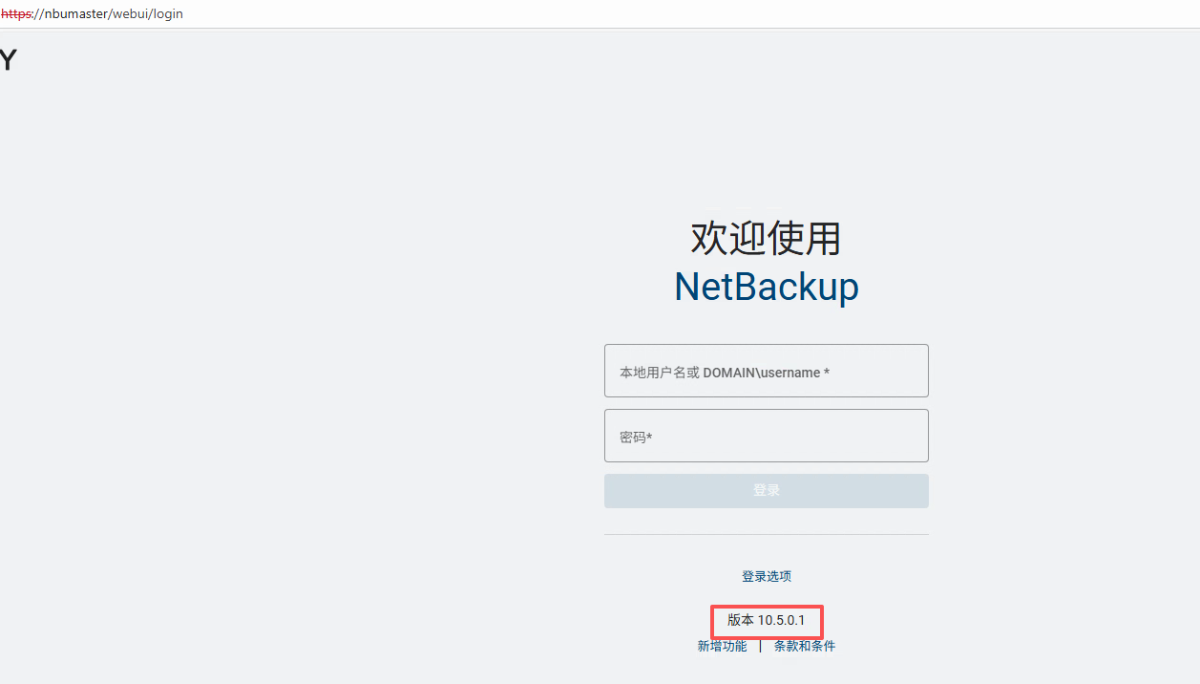
NBU 10.1.1 升级 NBU 10.5.0.1
概述
从NBU10.1.1升级到10.5.0.1,请参考下面的文档:
升级指南:https://sort.veritas.com/DocPortal/pdf/127757917-166658960-1
安装指南:https://sort.veritas.com/DocPortal/pdf/32192901-166658786-1
升级方法以官方文档为准,另外,也有以下注意事项请您配合参考:
- 检查环境兼容性:
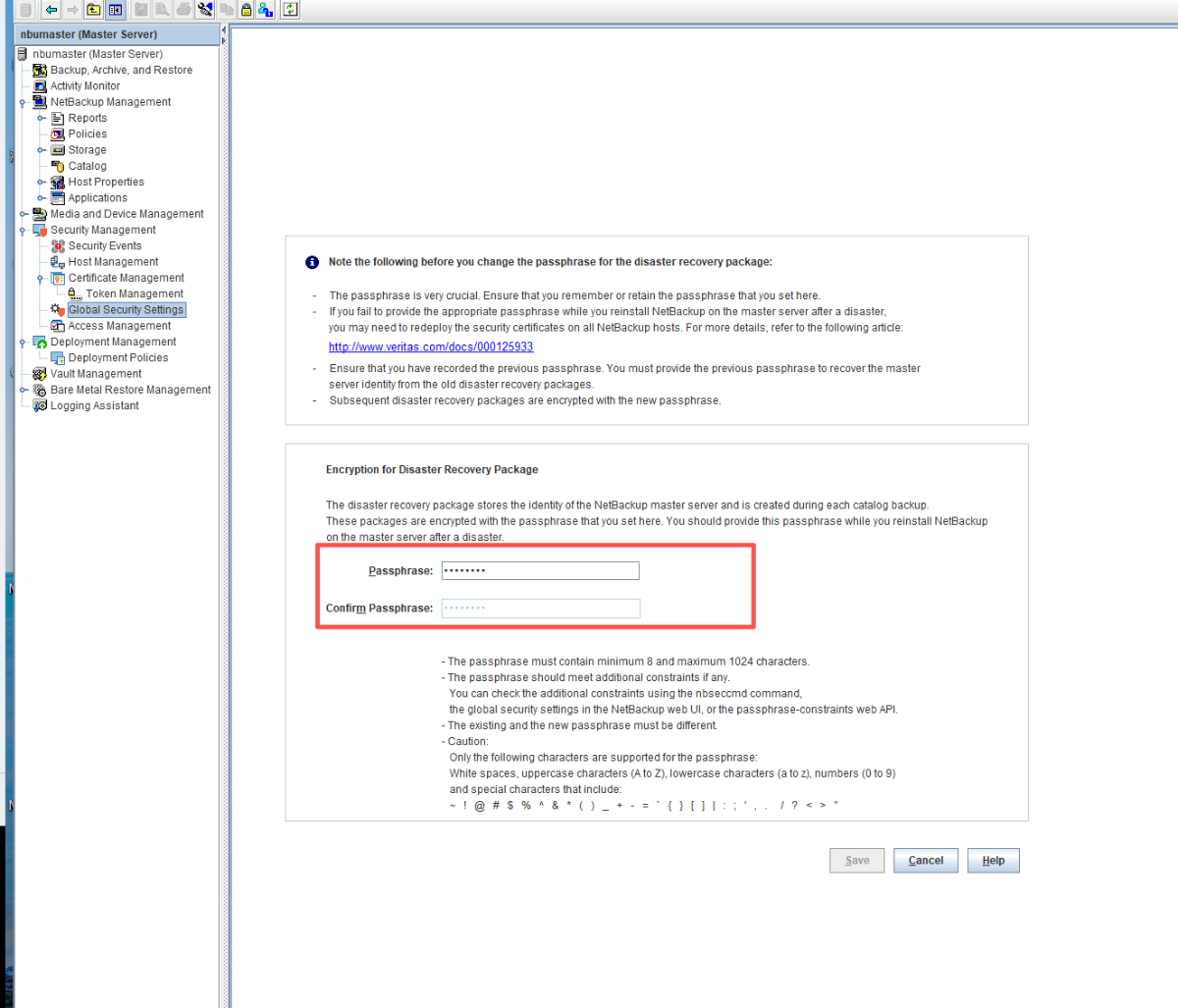
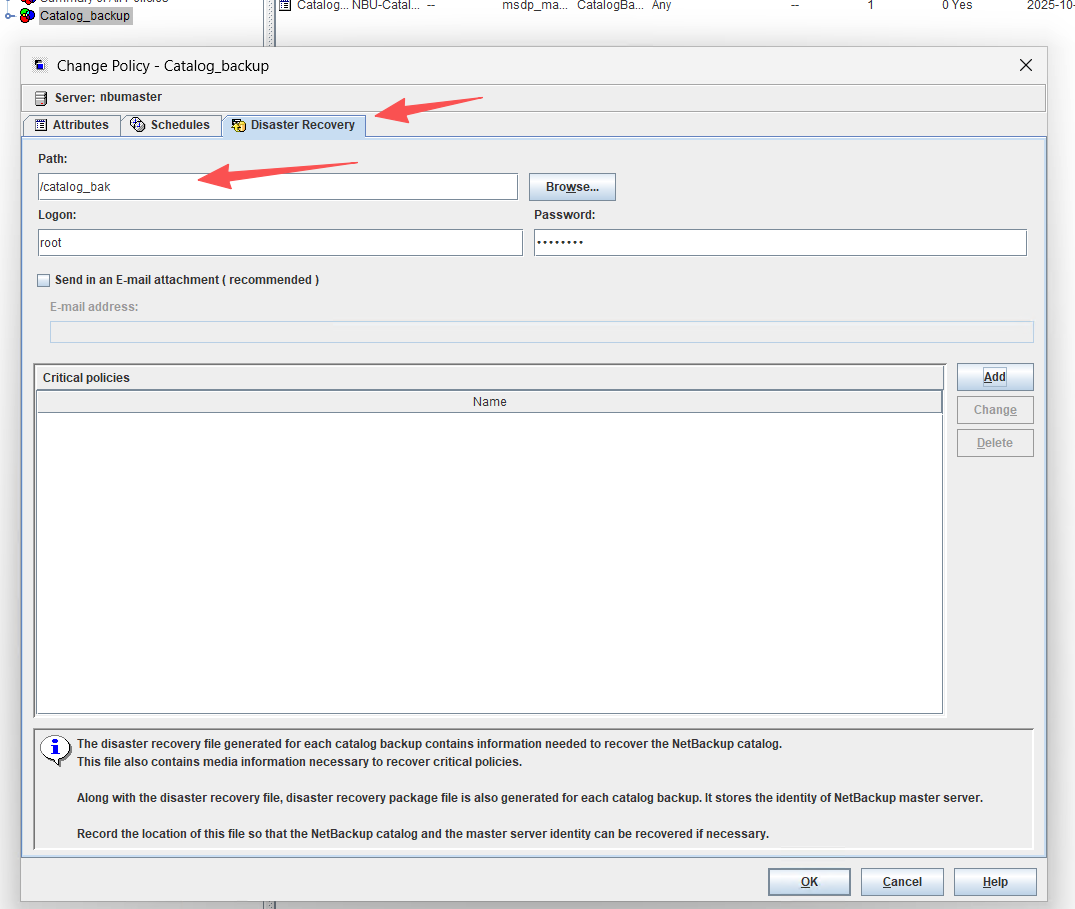
Veritas NetBackup ™ Enterprise Server and Server 10.0 - 10.x.x OS Software Compatibility List 升级之前要给NBU catalog 做一次全备(最好保存在基本磁盘的存储中),记录 dr 文件和 drpkg 文件的保存路径并离线保存 dr 文件和 drpkg 文件,也请记录 drpkg 的密码 passphrase,其位于以下位置,
NetBackupAdministration Console->Security Management->Global SecuritySettings->Disaster Recovery->Passphrase and Confirm Passphrase。此步骤主要用于预防升级失败无法修复时做灾难恢复回滚使用。 如果主机是虚机,请打好快照。
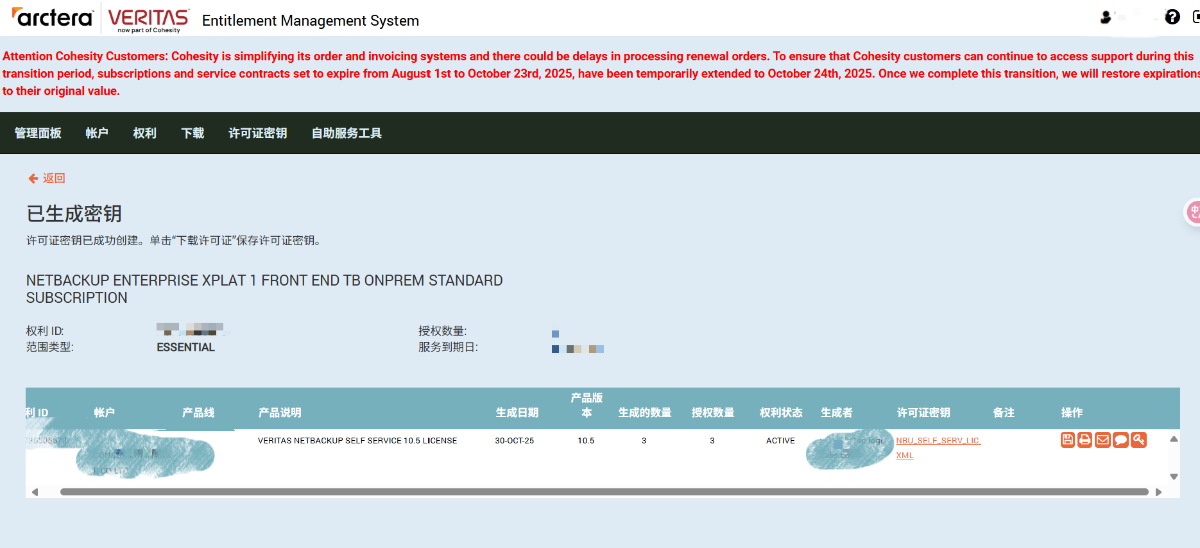
- 下载license文件,请提前下载许可文件(是一个扩展名为slf的文件)。
升级前要进行utf-8 check检查
https://www.veritas.com/content/support/en_US/article.100055151.html
10.1.1上有一个已知问题,就是如果您曾经修改过nbdb密码,且环境配置了BMR的话,nbdb密码会和BMRdb密码没有同步,如果咱们有这种情况的话,升级过程就会出现问题。这就需要您升级前安装下面的这个eeb然后同步密码。
https://www.veritas.com/support/en_US/downloads/update.UPD279868
如果不确定环境是否改过密码或者是否配置了BMR,为了保险可以安装eeb后, 重新更改下密码,然后再升级。
- 如果master server同时也是MSDP server的话,升级钱最好备份MSDP的catalog,并备份/msdp挂载点/etc配置文件。
- 升级前的pre-install check,如果有not ok的选项,请发给我们进行确认。
- 升级如有报错或者失败,需要开新案例进行处理。
前置步骤
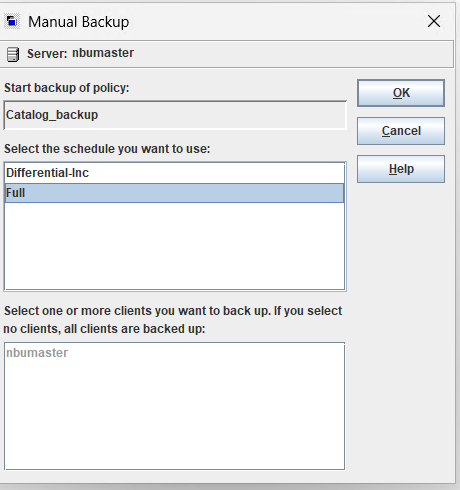
NBU catalog 做一次全备
- 确认恢复密码
- 确认导出路径
- 执行一次全备
下载license文件
请提前下载许可文件(是一个扩展名为slf的文件)。 略过
进行utf-8 check检查
https://www.veritas.com/content/support/en_US/article.100055151.html
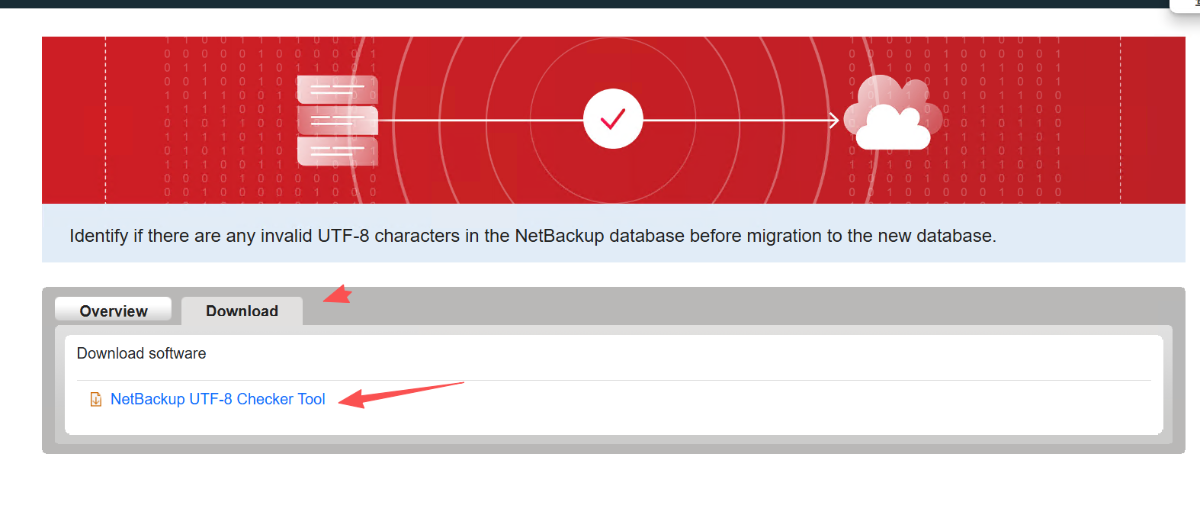
下载脚本
sort.veritas.com/utility/nbdb-utf8-check
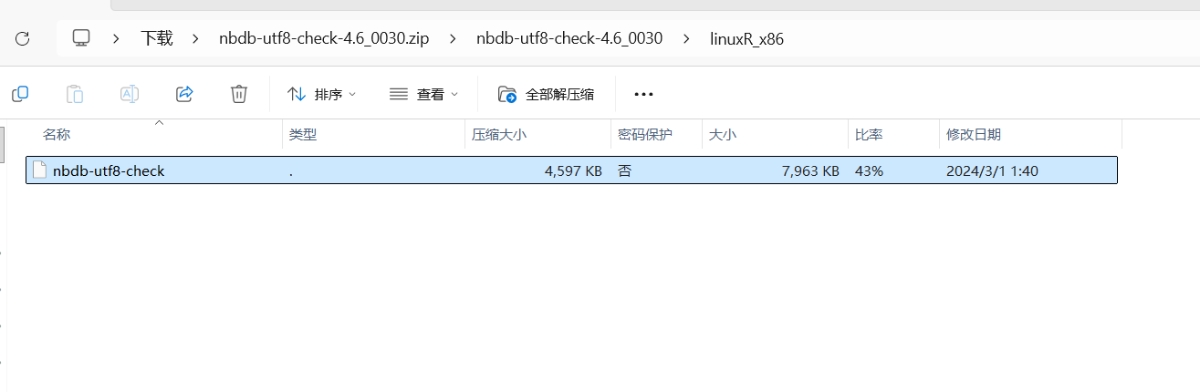
[root@nbumaster ~]# chmod +x nbdb-utf8-check
[root@nbumaster ~]# ./nbdb-utf8-check
Starting unload of NBAZDB. This operation might take some time.
Unload of NBAZDB completed successfully
Processing Table: tbl_nm
Processing Table: cls_nm
Processing Table: attr_info
Processing Table: cls_info
Processing Table: res_type
Processing Table: object
Processing Table: ps
Processing Table: sc
Processing Table: ps_rtype
Processing Table: avt
Processing Table: rt
Processing Table: permission
Processing Table: perms
Processing Table: agm

....

Processing Table: AST_K8S_Cluster
Processing Table: AST_K8S_Labels
Processing Table: AST_K8S_Subscription
Processing Table: AST_Last_Backup_Status

Processing Table: WEBUI_User_Filter
Processing Table: WEBUI_User_Filter_Pin
Processing Table: WEBUI_User_Preference

An upgrade to NetBackup 10.2 or later requires a migration of records to a new
NetBackup database server. This check reports any records found with invalid,
non UTF-8 byte sequences which could cause a migration failure. Review the
following article for more information:
    https://www.veritas.com/support/en_US/article.100055151

There are no invalid UTF-8 characters in the database.

[root@nbumaster ~]#
- 补丁安装
NetBackup 8.1.2 - 10.1.1 - 升级到 NetBackup 10.2 或更高版本时对性能nbdb_unload影响
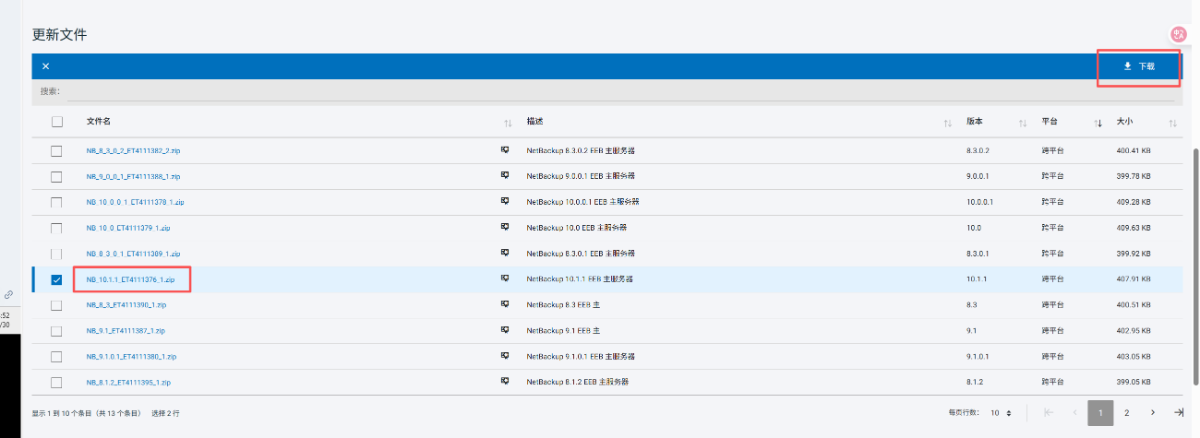
- 上传EEP
- 安装EEB
[root@nbumaster ~]# chmod +x eebinstaller_4111376_1_linuxR_x86
[root@nbumaster ~]# ./eebinstaller_4111376_1_linuxR_x86

This program performs an installation of files related to
PET4111375, SET4111376, EEB1 on platform linuxR_x86.

DISCLAIMER:
-----------
NOTE: These binaries are intended to help address a certain issue or enhance
a certain feature within the Veritas software for which these binaries were
created. They are intended solely for the recipient and must not be further
distributed to other parties, as they may not be generally available. Their
use is subject to the terms and conditions of your applicable Veritas license
and support agreements. They have not been fully tested by Veritas in all
environments, so please do not install these binaries unless instructed to
do so by Veritas.

Do you acknowledge this disclaimer?   [y,n] (y) y

This installer will use the following as the base installation directory:
  /usr/openv

Is this the correct path?   [y,n] (y) y

Veritas Bug ID: 4111376
NetBackup_10.1.1 linuxR_x86
NetBackup Primary Server

Deliverables:
-------------
/db/bin/nbdb_unload

Additional Notes:
-----------------
A change to the nbdb_unload CLI to improve performance.

The nbdb-utf8-check utility that is required to be run prior to upgrade to 10.2 calls
nbdb_unload.

A significant speedup of the nbdb-utf8-check utility can be achieved by installing this
EEB.
A change to the nbdb_unload CLI to improve performance.

The nbdb-utf8-check utility that is required to be run prior to upgrade to 10.2 calls
nbdb_unload.

A significant speedup of the nbdb-utf8-check utility can be achieved by installing this
EEB.

File checksum(s):
-----------------
1909972832 35512 nbdb_unload

Recommended Service State:
--------------------------
All NetBackup services can remain running.

Continue?  [y,n] (y) y
Checksum of original at /usr/openv/db/bin/nbdb_unload: 826604189, Checksum of file in the installer: 1909972832

Extracting...
/usr/openv/db/bin/nbdb_unload

Installation complete.

[root@nbumaster ~]#
原地升级Rehl 7.9到8.10
10.5.0.1 不支持Redhat 7.9 系统,需要先对系统升级。
- 上传并安装 leapp
\\10.60.10.100\software\leapp.tar.gz
tar -zxvf leapp.tar.gz
cd leapp
yum localinstall *
- 上传 redhat 8.10 ISO文件 并预检
- 注意 iso 文件不要放在/tmp 目录,后续升级会报错
# 预检查

leapp preupgrade --no-rhsm --target 8.10 --iso /nbumedia/rhel-8.10-x86_64-dvd.iso

。。。。。

====> * verify_check_results
        Check all generated results messages and notify user about them.

Debug output written to /var/log/leapp/leapp-preupgrade.log

============================================================
                      REPORT OVERVIEW
============================================================

Upgrade has been inhibited due to the following problems:
    1. Leapp detected loaded kernel drivers which have been removed in RHEL 8. Upgrade cannot proceed.
    2. Missing required answers in the answer file

HIGH and MEDIUM severity reports:
    1. Packages available in excluded repositories will not be installed
    2. GRUB2 core will be automatically updated during the upgrade
    3. Difference in Python versions and support in RHEL 8
    4. Packages not signed by Red Hat found on the system
    5. chrony using default configuration

Reports summary:
    Errors:                      0
    Inhibitors:                  2
    HIGH severity reports:       4
    MEDIUM severity reports:     1
    LOW severity reports:        4
    INFO severity reports:       4

Before continuing, review the full report below for details about discovered problems and possible remediation instructions:
    A report has been generated at /var/log/leapp/leapp-report.txt
    A report has been generated at /var/log/leapp/leapp-report.json

============================================================
                   END OF REPORT OVERVIEW
============================================================

Answerfile has been generated at /var/log/leapp/answerfile
[root@nbumaster nbumedia]#
[root@nbumaster nbumedia]#
- 问题
modprobe -r pata_acpi
leapp answer --section remove_pam_pkcs11_module_check.confirm=True
# 查看问题
more /var/log/leapp/leapp-report.txt


参考内容:
Risk Factor: high (inhibitor)
Title: Leapp detected loaded kernel drivers which have been removed in RHEL 8. Upgrade cannot proceed.
Summary: Support for the following RHEL 7 device drivers has been removed in RHEL 8:
     - pata_acpi

Related links:
    - Leapp preupgrade getting "Inhibitor: Detected loaded kernel drivers which have been removed in RHEL 8. Upgrade cannot proceed." : https://access.redhat.com/solutions/6971716
    - Leapp upgrade fail with error "Inhibitor: Detected loaded kernel drivers which have been removed in RHEL 8. Upgrade cannot proceed.": https://access.redhat.com/solutions/5436131
Key: f08a07da902958defa4f5c2699fae9ec2eb67c5b


--- 去掉依赖

modprobe -r pata_acpi

----------------------------------------
Risk Factor: high (inhibitor)
Title: Missing required answers in the answer file
Summary: One or more sections in answerfile are missing user choices: remove_pam_pkcs11_module_check.confirm
For more information consult https://red.ht/leapp-dialogs.
Related links:
    - Leapp upgrade fail with error "Inhibitor: Missing required answers in the answer file.": https://access.redhat.com/solutions/7035321
Remediation: [hint] Please register user choices with leapp answer cli command or by manually editing the answerfile.
[command] leapp answer --section remove_pam_pkcs11_module_check.confirm=True
Key: d35f6c6b1b1fa6924ef442e3670d90fa92f0d54b


-- 回答 问题
leapp answer --section remove_pam_pkcs11_module_check.confirm=True

----------------------------------------
Risk Factor: high
Title: Packages available in excluded repositories will not be installed
Summary: 7 packages will be skipped because they are available only in target system repositories that are intentionally excluded from the list of repositories used during the upgrade. See the report message titled "Excluded target system repositories" for details.
The list of these packages:
- gdk-pixbuf2-xlib (repoid: codeready-builder-for-rhel-8-x86_64-rpms)
- ivy-local (repoid: codeready-builder-for-rhel-8-x86_64-rpms)
- javapackages-filesystem (repoid: codeready-builder-for-rhel-8-x86_64-rpms)
- ldns-utils (repoid: codeready-builder-for-rhel-8-x86_64-rpms)
- python3-javapackages (repoid: codeready-builder-for-rhel-8-x86_64-rpms)
- python3-pyxattr (repoid: codeready-builder-for-rhel-8-x86_64-rpms)
- rpcgen (repoid: codeready-builder-for-rhel-8-x86_64-rpms)
Key: 2437e204808f987477c0e9be8e4c95b3a87a9f3e
----------------------------------------
Risk Factor: high
Title: GRUB2 core will be automatically updated during the upgrade
Summary: On legacy (BIOS) systems, GRUB2 core (located in the gap between the MBR and the first partition) cannot be updated during the rpm transaction and Leapp has to initiate the update running "grub2-install" after the transaction. No action is needed before the upgrade. After the upgrade, it is recommended to check the GRUB configuration.
Key: ac7030e05d2ee248d34f08a9fa040b352bc410a3
----------------------------------------
Risk Factor: high
Title: Difference in Python versions and support in RHEL 8
Summary: In RHEL 8, there is no 'python' command. Python 3 (backward incompatible) is the primary Python version and Python 2 is available with limited support and limited set of packages. If you no longer require Python 2 packages following the upgrade, please remove them. Read more here: https://red.ht/rhel-8-python
Related links:
    - Difference in Python versions and support in RHEL 8: https://red.ht/rhel-8-python
Remediation: [hint] Please run "alternatives --set python /usr/bin/python3" after upgrade
Key: 0c98585b1d8d252eb540bf61560094f3495351f5
----------------------------------------
Risk Factor: high
Title: Packages not signed by Red Hat found on the system
Summary: The following packages have not been signed by Red Hat and may be removed during the upgrade process in case Red Hat-signed packages to be removed during the upgrade depend on them:
- VRTSnbcfg
- VRTSnbclibs
- VRTSnbclt
- VRTSnbjava
- VRTSnbjre
- VRTSnbmqbrkr
- VRTSnbpck
- VRTSnbslibs
- VRTSnbweb
- VRTSnetbp
- VRTSpbx
- VRTSpddea
- VRTSpddei
- VRTSpddes
- libdnf
- python2-hawkey
- python2-libdnf
Key: 13f0791ae5f19f50e7d0d606fb6501f91b1efb2c
----------------------------------------
Risk Factor: medium
Title: chrony using default configuration
Summary: default chrony configuration in RHEL8 uses leapsectz directive, which cannot be used with leap smearing NTP servers, and uses a single pool directive instead of four server directives
Key: c4222ebd18730a76f6bc7b3b66df898b106e6554
----------------------------------------
Risk Factor: low
Title: Grep has incompatible changes in the next major version
Summary: If a file contains data improperly encoded for the current locale, and this is discovered before any of the file's contents are output, grep now treats the file as binary.
The 'grep -P' no longer reports an error and exits when given invalid UTF-8 data. Instead, it considers the data to be non-matching.
In locales with multibyte character encodings other than UTF-8, grep -P now reports an error and exits instead of misbehaving.
When searching binary data, grep now may treat non-text bytes as line terminators. This can boost performance significantly.
The 'grep -z' no longer automatically treats the byte '\200' as binary data.
Context no longer excludes selected lines omitted because of -m. For example, 'grep "^" -m1 -A1' now outputs the first two input lines, not just the first line.

Remediation: [hint] Please update your scripts to be compatible with the changes.
Key: 94665a499e2eeee35eca3e7093a7abe183384b16
。。。。

#开始升级

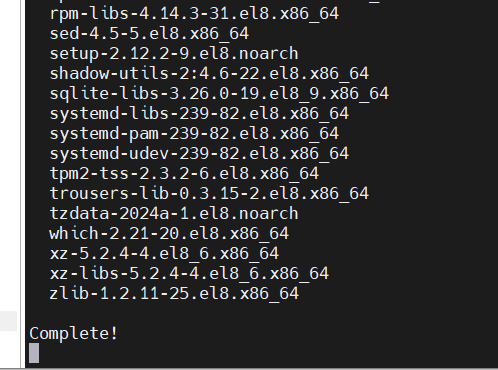
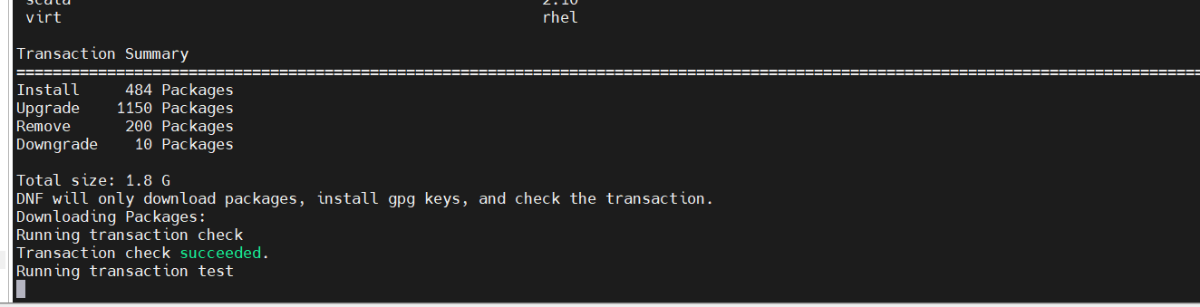
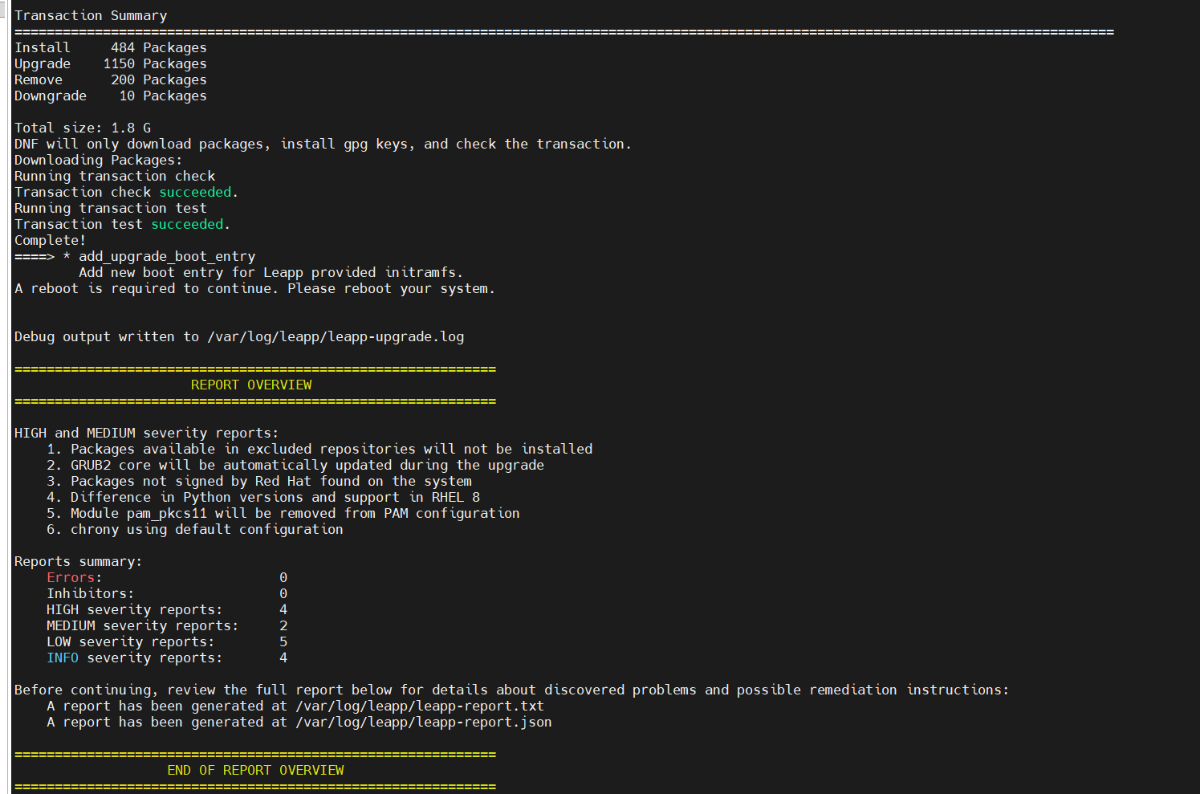
 leapp upgrade --no-rhsm  --iso /nbumedia/rhel-8.10-x86_64-dvd.iso
#重启
reboot
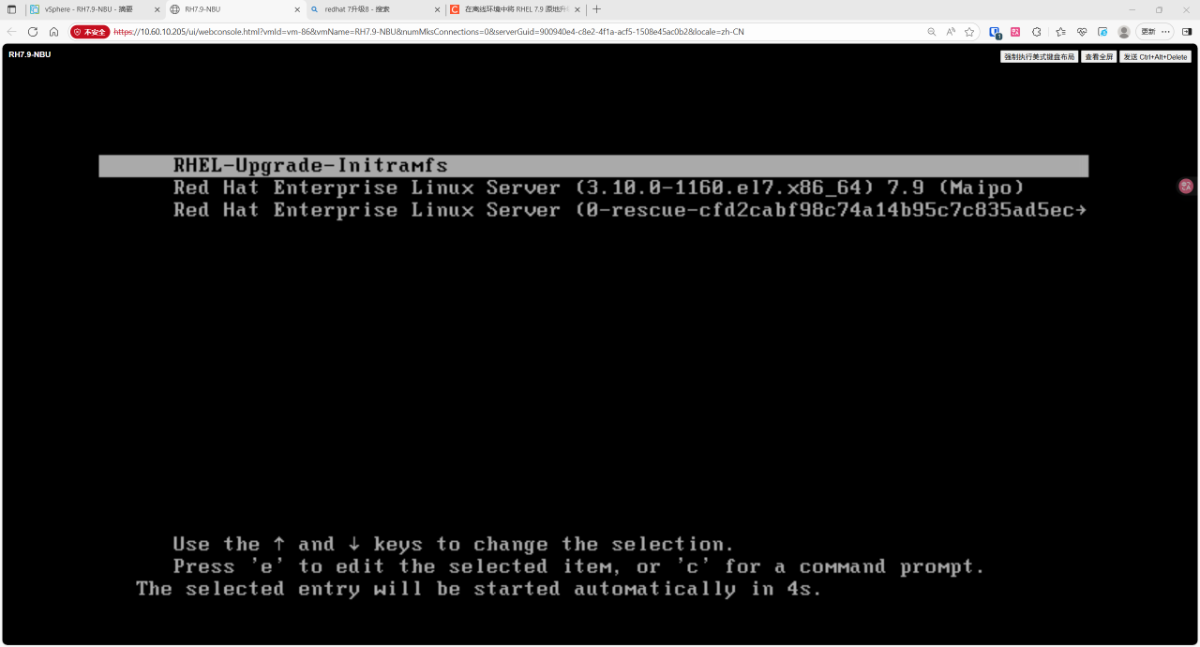
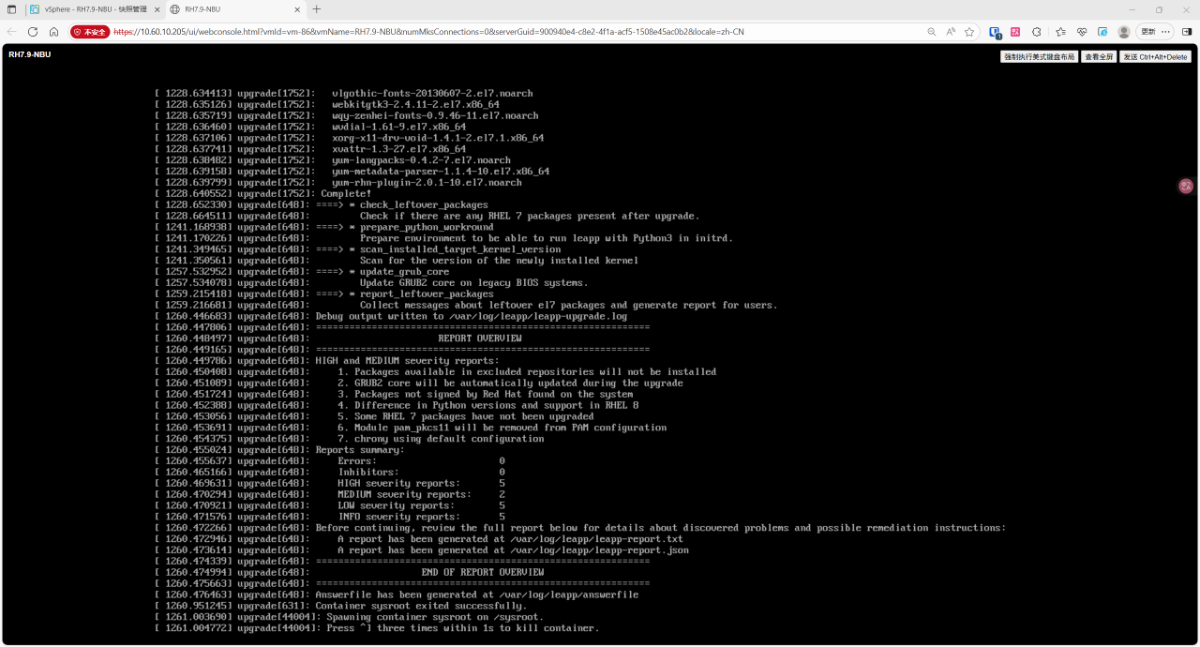
- 自动重启
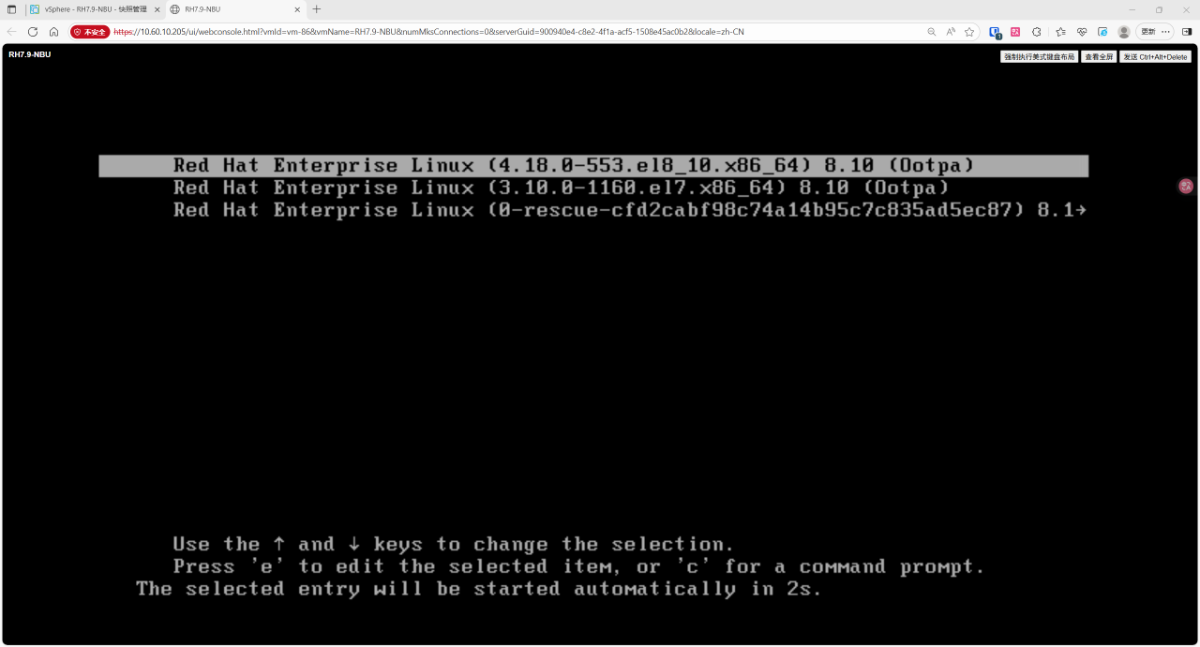
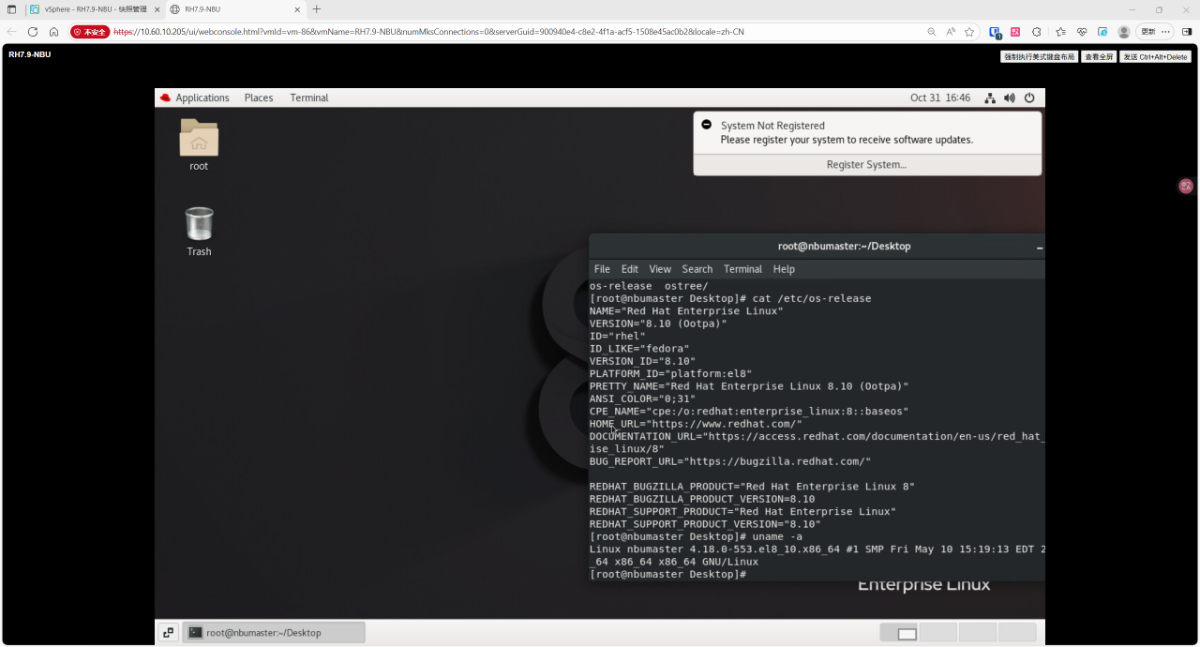
- 升级成功
开始升级NBU
数据库用户、端口和磁盘空间要求
对于 Linux 环境,新的 NetBackup 数据库必须具有非 root 用户才能进行操作。如 果 root 用户启动 NetBackup 后台驻留程序,系统会提示您使用非 root 用户。用户 名必须满足以下所示条件:
■ 不允许使用 root 帐户。
■ 不允许使用对 sudo 实用程序具有访问权限的帐户。
■ 用户名必须包含 1-31 个字符。
■ 用户名必须仅包含英文字符。
■ 不要将 nbwebsvc 用户用作横向扩展数据库用户。
■ 有关更多详细信息,请参见:https://www.veritas.com/docs/100053091
# 查看bp.conf 配
[root@nbumaster ~]# cat /usr/openv/netbackup/bp.conf
SERVER = nbumaster
CLIENT_NAME = nbumaster
CONNECT_OPTIONS = localhost 1 0 2
NB_FIPS_MODE = DISABLE
EMMSERVER = nbumaster
VXDBMS_NB_DATA = /usr/openv/db/data
SERVICE_USER = nbsvcusr
WEBSVC_GROUP = nbwebgrp
WEBSVC_USER = nbwebsvc
TELEMETRY_UPLOAD = YES
[root@nbumaster ~]#
cat /etc/passwd
#新建用户参考
useradd -G nbwebgrp nbsvcusr如果已经以非 root 用户身份启动 NetBackup 后台驻留程序,则使用同一帐户运行 NetBackup 数据库。 新数据库具有连接池程序服务,默认情况下使用端口 13787。在升级之前,请确认 此端口可用于数据库操作。
如果无法提供有效端口号,则在端口问题得到解决之前 将无法使用 NetBackup。
如果此端口不可用,则可以在 Linux 升级期间使用应答文件更改该值。Linux 交互 式升级没有提示。对于 Windows 主服务器,可以通过在升级期间选择自定义安装 路径来更改端口值。
我们提供了有关应答文件的更多信息: 请参见第 125 页的“关于 NetBackup 应答文件”。
在升级期间,转换需要额外的磁盘空间。该磁盘空间是创建新的 PostgreSQL 数据 库以及存储临时 .dat 文件所必需的。Veritas 预计新数据库与旧数据库大致相同。 临时 .dat 文件需要的空间等于当前 ASA .db 文件的大小。
在 Linux 主服务器上,数据库文件位于 /usr/openv/db/data 目录中。在 Windows 主服务器上,数据库文件位于 install_path\Veritas\NetBackupDB\data 目录 中。
升级流程
#退出java 管理端
#停止所有 NetBackup 服务

/usr/openv/netbackup/bin/bp.kill_all


# 查看bp.conf 配
[root@nbumaster ~]# cat /usr/openv/netbackup/bp.conf
SERVER = nbumaster
CLIENT_NAME = nbumaster
CONNECT_OPTIONS = localhost 1 0 2
NB_FIPS_MODE = DISABLE
EMMSERVER = nbumaster
VXDBMS_NB_DATA = /usr/openv/db/data
SERVICE_USER = nbsvcusr
WEBSVC_GROUP = nbwebgrp
WEBSVC_USER = nbwebsvc
TELEMETRY_UPLOAD = YES

核对hosts 是否正确
[root@nbumaster ~]#cat /etc/hosts


[root@nbumaster tmp]# tar -zxvf NetBackup_10.5.0.1_LinuxR_x86_64.tar.gz
。。。

[root@nbumaster NetBackup_10.5.0.1_LinuxR_x86_64]# ./install

....

https://www.veritas.com/support/en_US/article.100032801.

Do you wish to continue? [y,n] (y)

ERROR:   NetBackup 10.5.0.1 software for processor type x86_64 is not
         supported on RedHat operating systems older than 4.18.0-372.
         Review the NetBackup Software Compatibility List for more information.


File /usr/openv/tmp/install_trace.30347 contains a trace of this install.
That file can be deleted after you are sure the install was successful.
[root@nbumaster NetBackup_10.5.0.1_LinuxR_x86_64]#
- y 继续
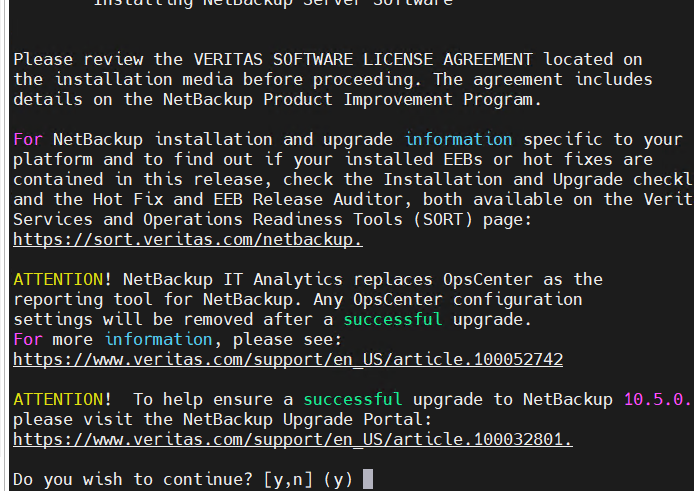
- 需要先执行SQL UTF-8 check ,如果没执行会报错
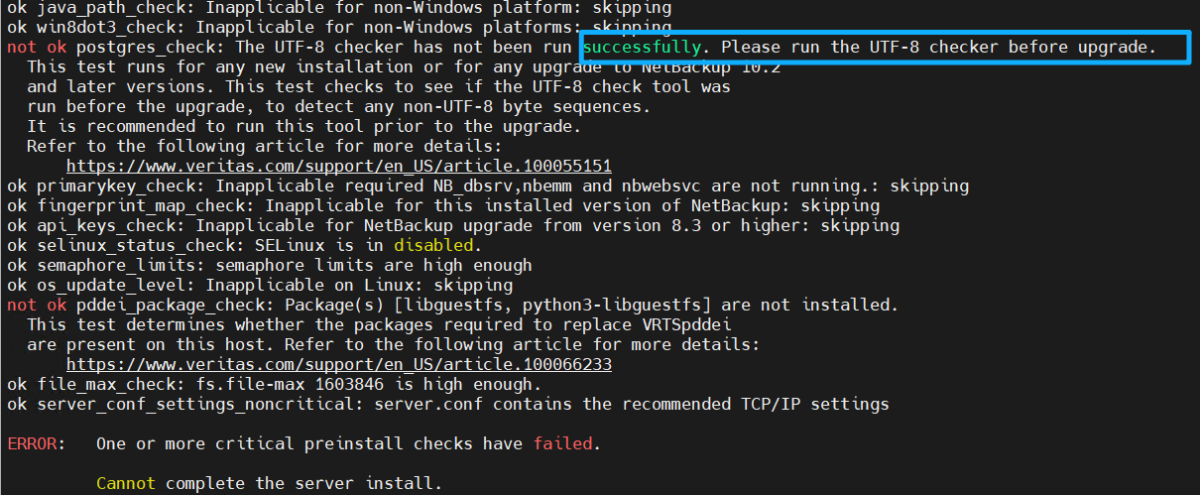
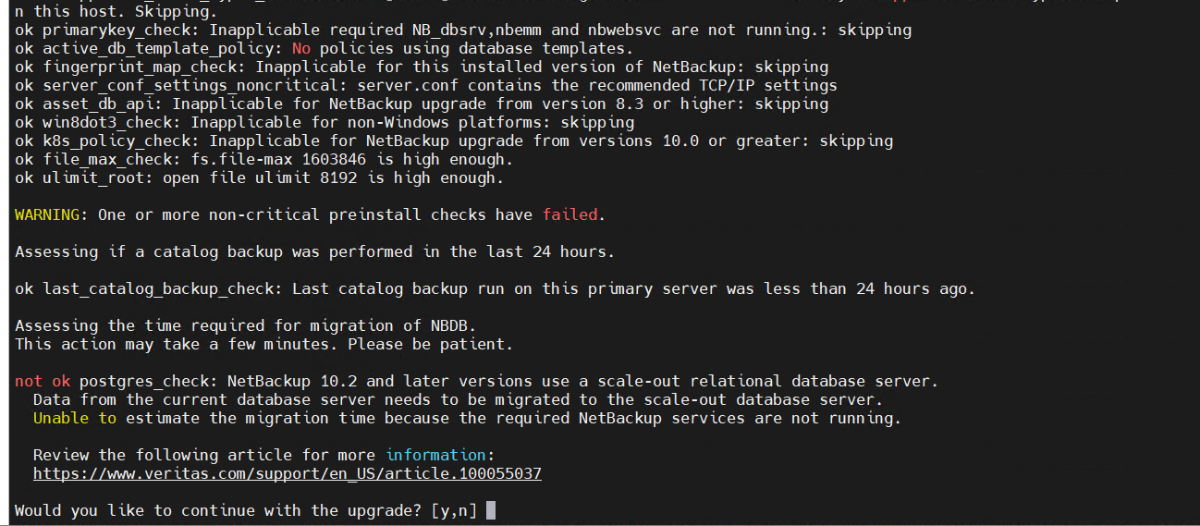
- y 继续升级
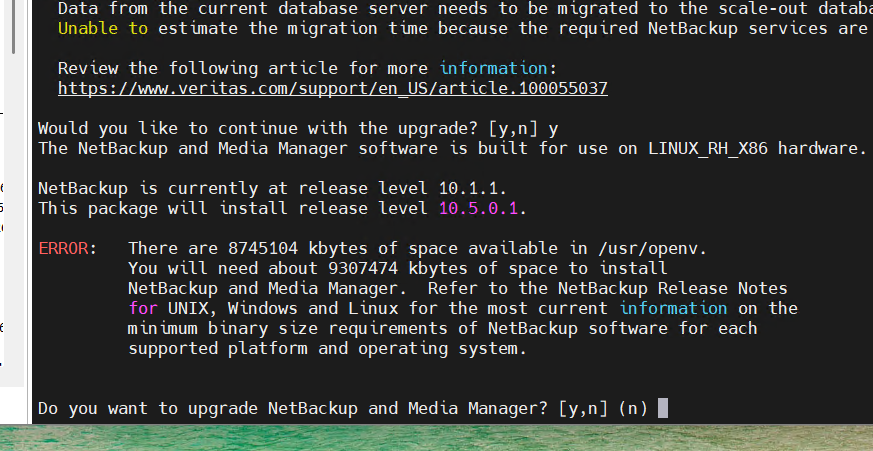
- y 提示空间不足,先不管继续升级
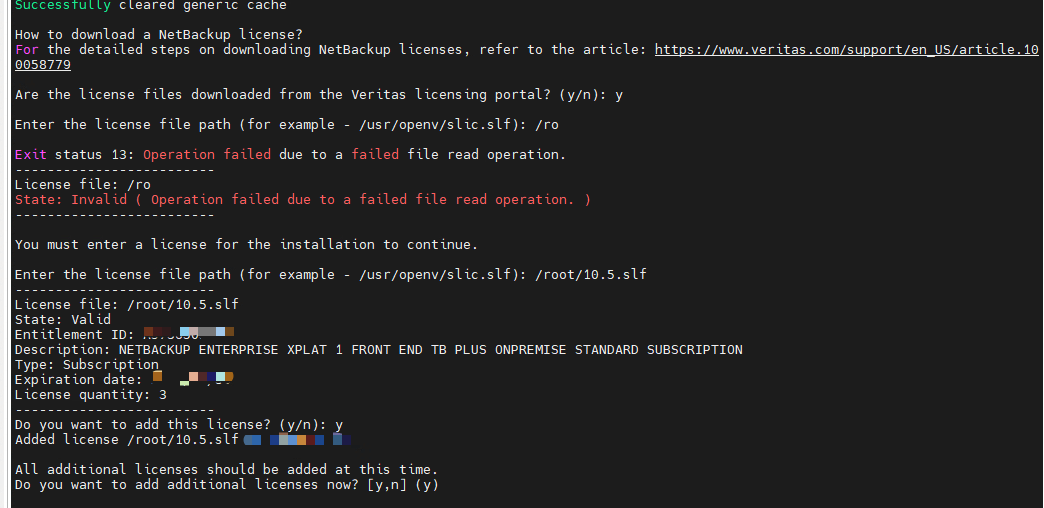
- 安装许可
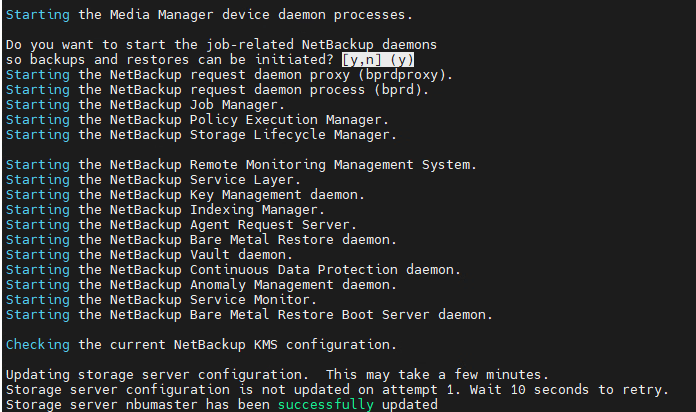
-
完成升级